 Capbeam
01
Say it. Then shape it.
Tap a word to find its moment. Double-tap to edit. Refine a line, adjust timing, and undo whenever you need.
Turn the things you say into captions with character. Edit the words, find your look, and keep your story in the frame.
For iPhone · iOS 26+ · English app interface
Real app capture · authored caption example
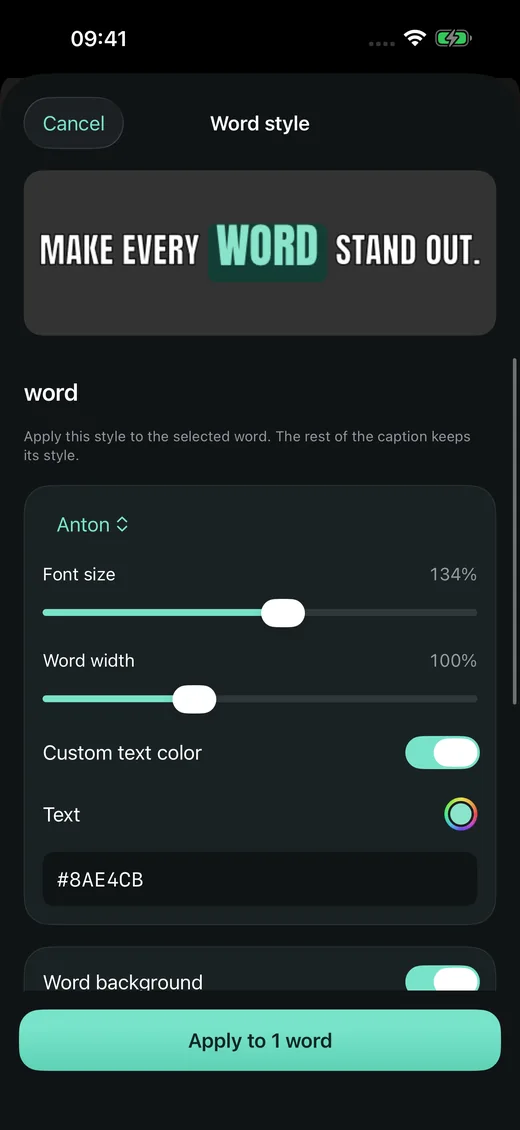
Some words deserve a little extra. Give them a color, a font, or a moment of movement—then save the look for the next story.
An interactive style sample. Your video stays in the app.
Keep your video in view while you shape the words around it. A focused editor, with room to make it yours.
Tap a word to find its moment. Double-tap to edit. Refine a line, adjust timing, and undo whenever you need.
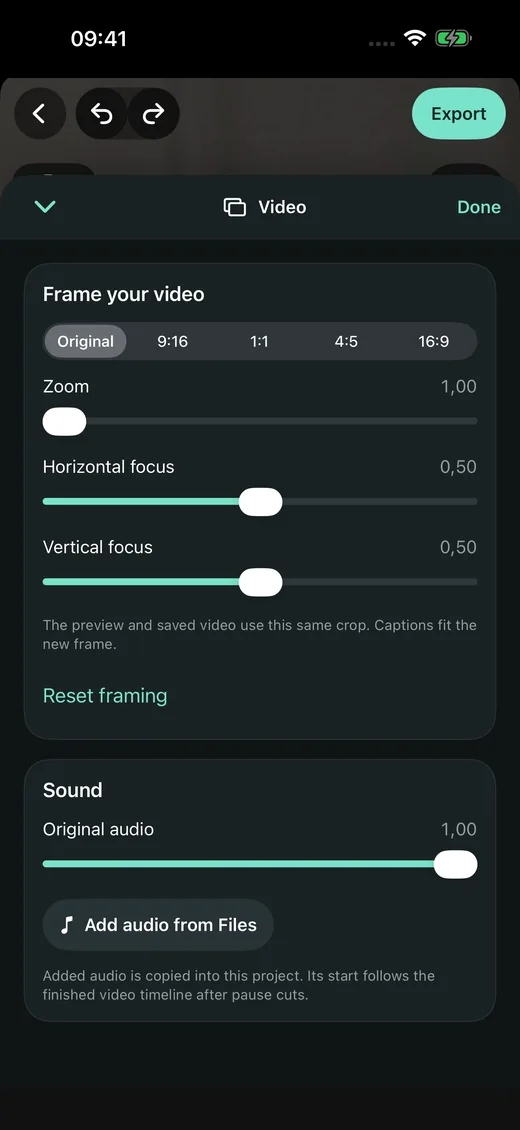
Choose portrait, square or landscape. Review pauses before cutting, and keep the original video untouched.
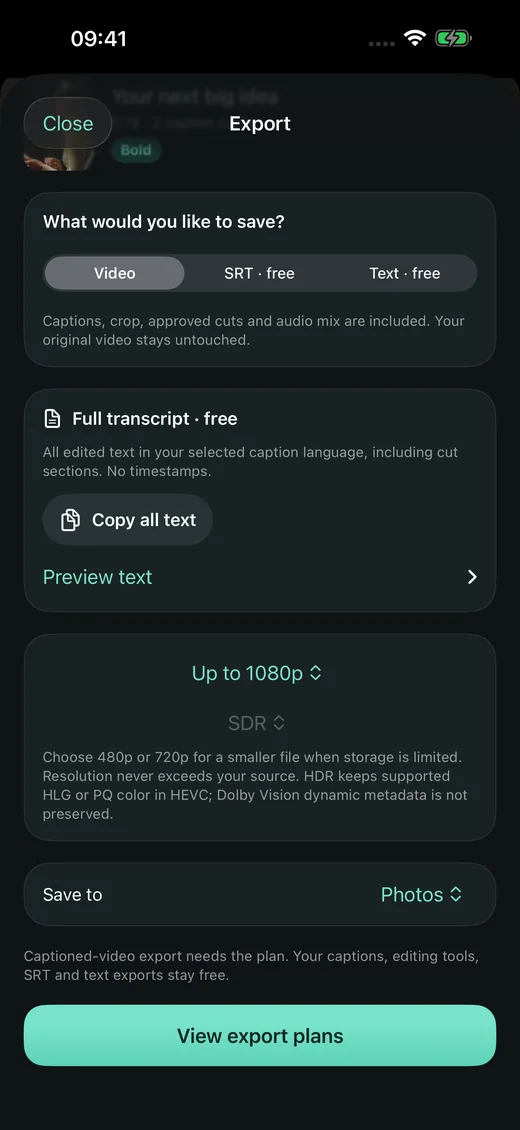
Save SRT and text for free. Use Pro for new captioned videos, with up to 4K and supported HDR exports.
Save brand styles, organize projects in folders, and bring editable projects along through Files.
Create and review translation drafts with supported Apple language pairs. Choose one language or a bilingual video.
Add your logo, import music, and set levels and fades. Your video is more than the words on it.
Transcription and manual editing stay on your iPhone without an account. Optional AI styling sends captions and style context to Capbeam and OpenAI only with your permission. Your video, audio and face analysis stay on-device. AI requires Apple sign-in, credits and internet.
Apple and RevenueCat handle purchases. Basic usage sharing is on by default. Turn it off in Settings; your media and caption text are never included.
The details, in plain wordsExplore the editor before you subscribe. Your subscription unlocks new captioned-video exports—not a bag of credits.
All the room you need to work on your words.
No subscription needed.
Your finished video, with every word in place.
Or $24.99 USD, billed yearly.
Planned US App Store pricing. Local prices and eligible annual trials appear before purchase. Subscriptions renew automatically unless canceled. Export quality depends on your source and device; videos are not upscaled. SRT and text files do not contain visual styles or animations. Capbeam is not yet available to download.
A little clarity makes creating easier. Here are the things worth knowing before your first edit.
Visit the support page ↗Capbeam is being prepared for the App Store. This is a preview of the app; there is no public download yet.
Transcription, manual caption editing, styles, animations and SRT/plain-text export are free. Optional AI styling uses separately metered credits; review its maximum cost before generating. Pro is required to render a new captioned video. Videos already rendered remain shareable after a subscription ends.
Yes. Video, audio and captions are processed on your iPhone. Apple language assets or media stored in iCloud may need to download first. Purchases and subscription status need an internet connection.
Capbeam requires iOS 26 or later. Speech and translation languages depend on your device and Apple’s available language assets. Sources can be up to three hours, subject to available space and export settings. Always review automatic captions and translations before sharing.